- Home
- In Preparation
- Just Published
- Older Generation
- Robotics
- Computing
- Coding
- Electronics
- Windows 10/8.1/RT/7
- Apple/Mac
- Authors
- Ordering with Cheque
- Ordering with Card
Latest News


Windows 10 Explained
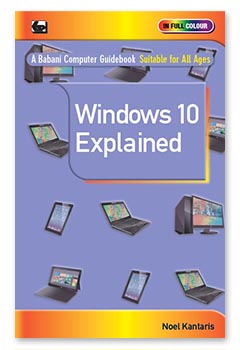
- Babani Number: BP757
- Author: Noel Kantaris
- Price: £9.99
- ISBN:978 0 85934 757 0
- 192 pages
- Published: Available Now
Windows 10 is the latest version of Microsoft's operating system which manages the resources of your computer and, also, controls the programs running on it.
Windows 10 will be available as a FREE upgrade to computers running Windows 7, Windows 8 and Windows 8.1 as well as being installed on new machines.
To get the most out of your computer you must have a good working knowledge of Windows 10. This book, especially written for users of any age and ability, will help you to quickly, easily and enjoyably develop this essential knowledge.
The book explains in plain English the upgrading process, installing and personalising Windows 10 to suit your own preferences. It also covers the practical use of this operat-ing system with it's new Start menu, icons and features such as Cortana personal assis-tant, new web browser, Continuum for touch screen control etc.
This book will easily and quickly get you started with Windows 10 whether you have just purchased a new Windows 10 computer or are upgrading an existing machine.
A Beginner's Guide to Coding on iPads and iPhones
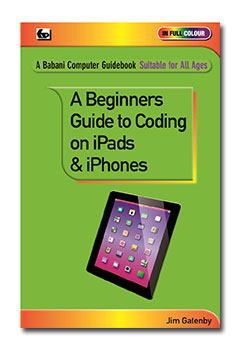
- Babani Number: BP756
- Author: Jim Gatenby
- Price: £7.99
- ISBN: 978 0 85934 756 3
- 128 pages
- Available Now
The National Curriculum for primary and secondary schools in England makes it compulsory for all children to be taught coding.
One of the most popular coding languages is PYTHON which is both powerful and easy to learn. While many schools and colleges use Windows and Apple desktop and laptop computers, at home many children, older students ,parents and grandparents may only use tablets and smartphones. Fortunately, PYTHON programs can be coded on both Android and Apple tablets and smartphones allowing children to practise their coding skills at home. PYTHON programs can then easily be transferred between the different types of computer available at home and school.
While there are many books covering PYTHON coding on Windows and Apple computers, the above book will probably be the first to cover coding on iPads and iPhones.
The book will explain, at an elementary level, the basic concepts of computers and computer coding / programming before explaining how to download and install the necessary FREE PYTHON software on iPads and iPhones. The book then describes in plain English the basics of coding in PYTHON, followed by saving and running the code and transferring to other types of computer.
A Beginner's Guide to Coding on Android Tablets and Smartphones
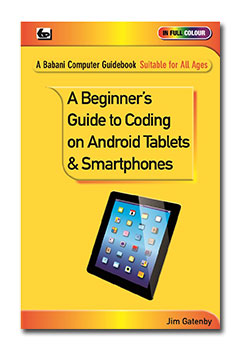
- Babani Number: BP755
- Author: Jim Gatenby
- Price: £7.99
- ISBN: 978 0 85934 755 6
- 128 pages
- Published: Available Now
The National Curriculum for primary and secondary schools in England makes it compulsory for all children to be taught coding.
One of the most popular coding languages is PYTHON which is both powerful and easy to learn. While many schools and colleges use Windows and Apple desktop and laptop computers, at home many children, older students ,parents and grandparents may only use tablets and smartphones. Fortunately, PYTHON programs can be coded on both Android and Apple tablets and smartphones allowing children to practise their coding skills at home. PYTHON programs can then easily be transferred between the different types of computer available at home and school.
While there are many books covering PYTHON coding on Windows and Apple computers, the above book will probably be the first to cover coding on Android Tablets and Smartphones.
The book will explain, at an elementary level, the basic concepts of computers and computer coding / programming before explaining how to download and install the necessary FREE PYTHON software on Android Tablets and Smartphones. The book then describes in plain English the basics of coding in PYTHON, followed by saving and running the code and transferring to other types of computer.
An Introduction to Android 5 Lollipop
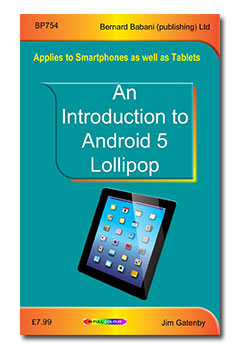
- Babani Number: BP754
- Author: Jim Gatenby
- Price: £7.99
- ISBN: 978 0 85934 754 9
- 128 pages
- Available Now
This book applies to smartphones and tablets running Android 5 Lollipop. Written in plain English, avoiding technical jargon wherever possible, this book presents it's information in a clear and easy to understand way. It covers the topics most people will need to get the best from their smartphone or tablet running Android 5 Lollipop.
Among the many topics covered are:
- New software features of Android 5 Lollipop and how to upgrade an existing device.
- The main hardware features of a typical Android 5 Lollipop device.
- Setting up a new device, including user and e-mail accounts and connecting to the Internet.
- Using touchscreen gestures and navigating the various screens.
- Installing new apps from the Play Store and organising existing apps.
- Entertainment including eBooks, music, video and catch up television.
- Searching the Web using Google Search and Google Voice Search.
- Using Google Maps and using an Android device as a sat nav.
- Communication by e-mail, Skype and Social Networking (Facebook and Twitter).
- Using the built-in cameras, importing photos from other sources such as SD cards and flash drives.
- Managing files on an Android 5 Lollipop device using a laptop or desktop computer.
- Using Cloud storage systems such as Dropbox and Google Drive.
- Using the Google Docs in Google Drive for word processing and spreadsheets, etc.
- Printing from an Android device to any printer using Google Cloud Print...
An Introduction to the Nexus 9
- Babani Number: BP753
- Author: Jim Gatenby
- Price: £7.99
- ISBN: 978 0 85934 753 2
- 128 pages
- Available Now
- Main features of the Nexus 9 including 8.9" HD screen, 64-bit dual core processor and Android 5 (Lollipop) operating system are described.
- Setting up the Nexus 9 , charging the battery, connecting to the Internet and signing up for a Gmail account.
- Touch screen operation and navigation.
- Finding and installing Apps from Google Play Store.
- Security settings to keep your Nexus 9 and your files safe.
- Enjoying entertainment such as eBooks, games, music and video.
- Searching the Internet for all types of information.
- Using eMail and Skype to communicate with family and friends all over the world.
- Transferring photos from a smart phone to Nexus 9 using Bluetooth.
- And much more besides...
An Introduction to the iPad with iOS8
- Babani Number: BP752
- Author: Andrew Edney
- Price: £7.99
- ISBN: 978 0 85934 752 5
- 128 pages
- Available Now
The latest version of Apple's operating system is iOS8 and it makes the iPad even more appealing. This book applies to all iPads running this new operating system.
This book will guide you through setting up and using your new iPad for the first time. It will provide you with many useful hints, tips and warnings about possible pitfalls that you may encounter.
The book is easy to understand as it is written in plain English and avoids technical jargon wherever possible and has many easy to follow 'step-through' instructions.
Among the many topics covered are:
A brief look at the iPad
Configuring your new iPad for the first time
Connecting to your home network
Surfing the Internet and using e-mail
Exploring features of iOS8
Getting and installing software from the Apple App Store
Backing up your iPad
Making video calls with FaceTime
Basic troubleshooting
And more besides...
This book will help you to make the most of this powerful new operating system installed on your iPad.
An Introduction to the Hudl
- Babani Number: BP751
- Author: Jim Gatenby
- Price: £7.99
- ISBN: 978 0 85934 751 8
- 128 pages
- Available Now
Written for the new hudl 2 with it's faster processor, larger screen (8.2") and Dolby sound but also equally applicable to the original hudl 1. In plain English and avoiding technical jargon wherever possible, this book will guide you through an overview, setting up and operating your hudl 2 tablet computer for the first time. Practical and useful applications of the hudl are then discussed in detail.
- Overview: General discussion about tablets, their relationship to other types of computer, the Android Operating system and the concept of Apps.
- Getting Set Up: hudl 2 controls, battery, connecting to a router, Gmail accounts, extra memory, etc.
- Starting to Use the hudl 2: Touch screen gestures, Home screen, Favourites Tray, Settings, etc.
- The Play Store and Tesco's own Apps: Searching for, installing, organising, using and deleting free and paid for Apps.
- Using the Internet: Chrome Web Browser, The Address Bar, Revisiting Web sites, searching with Google.
- Entertainment: eBooks including blinkbox, Google Play Books and Kindle, Downloading and stream-ing music and video, YouTube, Live and catch-up TV and Radio, Games.
- Communication: E-mail; Skype; Social Networking, Facebook and Twitter.
- Office Apps: Office software apps, Google Docs, word processing, spreadsheets, Voice recognition, File manager app; Setting up a printer, Cloud storage, Synchronising docs with Google Drive, DropBox.
- Photos and Videos: Transferring photos from camera or SD card, editing and sharing photos.
- Sat Nav: Using your hudl 2 as a Sat Nav with it's built-in GPS and Google Maps.
The popularity of hudl 2 is assured, with its superior specification and highly competitive price, costing only £10 more than the original hudl of which Tesco have sold over 750,000 units. hudl 2 should attract many new users to Android tablets and this book will help them get to grips with and make the most of their new hudl 2.
Social Networking Using a Tablet
For All Ages

- Babani Number: BP750
- Author: Jim Gatenby
- Price: £7.99
- ISBN: 978 0 85934 750 1
- 128 pages
- Available Now
Social Networking is no longer the province of only young people. In fact it is now one of the most popular uses for a tablet computer. This book covers both Facebook and Twitter on tablets using the Android, iPad or Windows operating systems.
The book assumes no prior knowledge of Social Networking and deals in detail with getting your tablet online, downloading appropriate Applications and establishing accounts with Facebook and Twitter.
Among the many topics covered are:
- How to use the Facebook website to interact with like minded people by sharing your latest news, photos and videos.
- How to control who can view your Facebook page by using the privacy settings.
- How to use the Twitter website to follow people who interest you and also share their 'Tweets' (short online massages).
- How to take part in online debates and post your own 'Tweets'.
- And much more besides…
This book is written for readers of all ages who may have little experience in using a tablet computer. It uses plain English and avoids technical jargon wherever possible.
Android Tablets Explained
For All Ages
- Babani Number: BP749
- Author: Jim Gatenby
- Price: £7.99
- ISBN: 978 0 85934 749 5
- 128 pages
- Available Now
- Researchers have predicted that in 2014 50% of all personal computers sold will be tablets and of those 65% will be Android (185 million units). Tablets can now do nearly everything that can be done on a laptop or desktop PC so for many people a tablet will fulfil all their computing requirements!
- Basically, all tablets using the Android operating system function and are used in a similar manner. However, different manufacturers / retailers may add 'tweaks' to the operating system to promote their own brand and/or the sale of 'Apps' from their own applications store.
- This book explains in the simplest way, using plain English and avoiding technical jargon wherever possible, everything you will need to know to set up and start using your Android tablet productively.
- Suitable for all ages, particularly the 'Older Generation' who may have little or no knowledge of using any type of computer.
- Applicable to most models of Android tablets including the Hudl, Galaxy, Nexus, Kindle Fire, etc.
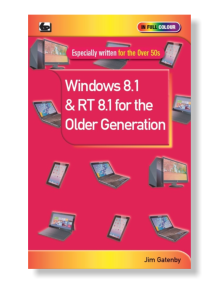
Windows 8.1 & RT 8.1 for the Older Generation
- Babani Number: BP748
- Author: Jim Gatenby
- Price: £7.99
- ISBN: 978 0 85934 748 8
- 128 pages
- Just Published
Especially written for the 'Older Generation' who may have little or no knowledge of using a computer. This book is written in plain English and avoids technical jargon wherever possible. It covers the essentials of Windows 8.1, 8.1 Pro and RT 8.1 which are available as a free download and are installed on new Windows computers.
Windows 8.1 and 8.1 Pro are the latest versions of Microsoft's operating system for Laptop , Desktop and X86 Tablets. Windows RT 8.1 is the version for tablets that use an ARM processor.
Covers everything a newcomer to computing will need to know to set up and start using their Windows laptop, desktop or tablet computer.
Contents:
Chapter 1: Introduction
Chapter 2: Navigating Windows 8.1
Chapter 3: Personalising Windows 8.1
Chapter 4: Ease of Access
Chapter 5: Getting Connected
Chapter 6: Using the Internet
Chapter 7: E-mailing
Chapter 8: Social Networking
Chapter 9: Software for Windows 8.1
Glossary of terms
Kindle Fire HDX Explained

- Babani Number: BP743
- Author: Noel Kantaris
- Price: £7.99
- ISBN: 978 0 85934 743 3
- 128 pages
- Published: Available Now
- The Kindle Fire HDX is considerably different to previous Fire and Fire HD models.
- Guides the reader through the configuration and use of each of the Kindle Fire HDX facilities.
- Explains clearly and succinctly the Kindle Fire HDX's capabilities so that the reader can quickly get maximum use and enjoyment from their new tablet.
- Includes how to load and use apps and the use of 'Mayday' to obtain instant technical help, and so much more besides.
- This book was written using the new Kindle Fire 7" HDX. However, most of the content is applicable to the 8.9" HDX .
- Written by a highly experienced and popular author.
- This book is an absolute 'must' for anyone with a new Kindle Fire HDX or is thinking about buying one.
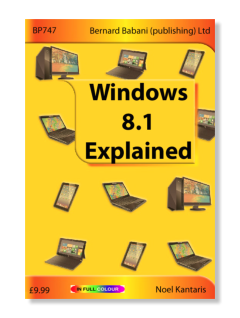
Windows 8.1 Explained
- Babani Number: BP747
- Author: Noel Kantaris
- Price: £9.99
- ISBN: 978 0 85934 747 1
- 192 pages in Full Colour
- Available Now
This book will help you to understand and explore Microsoft's latest operating system—Windows 8.1, and a good working knowledge of this is essential for you to get the most from your Desktop, laptop or X86 Tablet.
This book applies to Windows 8.1, Windows 8.1 Pro and the vast majority of Windows 8.1 Enterprise. Also, parts of the book should be applicable to Windows RT 8.1 which is built on the same foundation as Windows 8.1 but is a restricted version designed specifically for ARM Tablets.
Among the many topics explained in plain English and avoiding technical wherever possible are:
- An overview of the Windows 8.1 environment, including the Modern interface with the new Start button, Desktop, Taskbar, running Apps, Tray Notification Area and Charms bar.
- Managing Windows settings, User Accounts, Personalisation, controlling your system and working with programs.
- Using Desktop File Explorer, Internet Explorer and the e-mail App.
- Using SkyDrive and shared folders.
- Importing from your camera, working with and organising digital photographs.
- Using Bing maps to find locations, services, driving directions and help with public transport.
- Managing the News, Finance and Weather Apps.
- Using Windows Media Player and installing and using Media Center.
- Connecting to a wireless network, setting up a HomeGroup, sharing a printer.
- Using mobility tools to keep your Laptop / Tablet running while away from home.
- Keeping your computer healthy, backing up and using Accessibility features if you have eyesight or dexterity problems.
- Using the new Paint and WordPad Apps.
- And more besides...
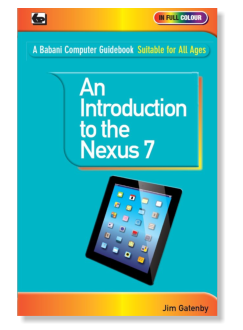
An Introduction to the Nexus 7
- Babani Number: BP744
- Author: Jim Gatenby
- Price: £7.99
- ISBN: 978 0 85934 744 0
- 128 pages in Full Colour
- Published: Available now
Written in plain English and avoiding technical jargon wherever possible, this book will guide you through an overview, setting up and operating your Nexus 7 tablet computer for the first time. Practical and useful applica-tions of the Nexus 7 are then discussed in detail.
Among the many topics covered are:-
- General discussion about tablets, their relationship to other types of computer, the Android Operating system and the concept of Apps.
- Getting Set Up: Using Nexus 7 controls, battery charging, connecting to a router, Gmail accounts, adding extra memory and optional accessories such as keyboard, docking station, flash drive, etc.
- Starting to Use the Nexus 7: Touch screen gestures, Home screen, Favourites Tray, Settings menu, etc.
- The Play Store: Searching for, installing, organising and deleting free and paid for Apps.
- Using the Internet: Chrome Web Browser; The Address Bar; Revisiting Web sites; searching with Google.
- Entertainment: EBooks; Google Books; Kindle; Downloading and streaming music and video; YouTube; Live and catchup TV and Radio; Games.
- Communication: E-mail; Skype; Social Networking, Facebook and Twitter.
- Office Apps: Office software apps; Google Docs; wordprocessing, spreadsheets; Voice recognition; File manager app; Setting up a printer; Cloud storage; Synchronising docs with Google Drive; DropBox.
- Photos and Videos: Transferring photos from camera or SD card; editing and sharing photos.
Ideal for anyone who has just purchased a Nexus 7 or is thinking about buying one.
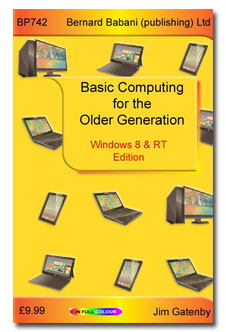
Basic Computing for the Older Generation
Windows 8 and RT Edition
- Babani Number: BP742
- Author: Jim Gatenby
- Price: £9.99
- ISBN: 978 0 85934 742 6
- 128 pages in Full Colour
- Available now
A completely revised edition of our highly successful book 'Basic Computing for the Older Generation' (978-0-85934-731-0) which covers Windows 7, Vista and XP machines, and, is of course, still in print. This new book covers Tablet, Laptop and Desktop computers which use the latest operating systems from Microsoft: Windows 8, Windows 8 Pro and Windows RT.
In this edition more emphasis is given to Tablet and Laptop machines as these are becoming increasingly more popular as prices fall and specifications increase, but, of course, the use of Desktop PCs is covered as well.
Details of controlling your computer using the new touch screen method is covered as well as by using the more conventional Mouse.
This book covers everything a beginner is likely to need to know to start using and under-standing their computer effectively. It is written in plain English and avoids technical jargon whenever possible.
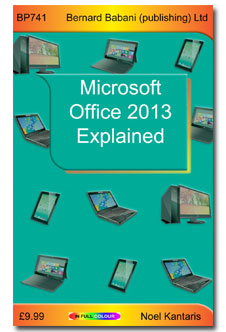
Microsoft Office 2013 Explained
- Babani Number: BP741
- Author: Noel Kantaris
- Price: £9.99
- ISBN: 978 0 85934 741 9
- 256 pages in Full Colour
- Available now
This book is based on the Home and Business edition of Microsoft's new Office 2013 soft-ware suite for X86 Tablet, Laptop and Desktop computers. The book covers Word, Excel, PowerPoint, OneNote and Outlook applications, and it will also apply to these applications in other editions of Office 2013. Parts of the book should also be applicable to Office 2013 RT, a reduced version supplied with Windows 8 RT, and designed for ARM Tablets such as Microsoft's own 'Surface' Tablet and those of other manufacturers.
The book commences with a package overview that includes the installation of the soft-ware , exploration of the applications common features and control of the software by both 'Touch Screen' and use of the 'Mouse'.
Each application within the 'Home and Business' edition of Office 2013 is introduced , with sufficient detail to get you working. No prior knowledge of these applications is assumed.
By providing clear explanations and encouraging you to participate in hands-on examples this book should enable you to get to grips with Office 2013 quickly and easily.
An indispensable companion to anyone using Office 2013 foe that first time or who has used a previous edition of Microsoft's Office.
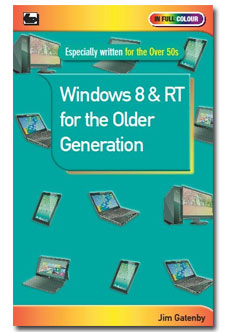
Windows 8 & RT for the Older Generation
- Babani Number: BP739
- Author: Jim Gatenby
- Price: £7.99
- ISBN: 978 0 85934 739 6
- 128 pages in full colour
- Available now
Especially written for the 'Older Generation' who may have little or no knowledge of using a comput-er. This book is written in plain English and avoids technical jargon wherever possible. It covers the essentials of Windows 8, 8 Pro and RT.
Windows 8 and 8 Pro are the latest versions of Microsoft's operating system for Laptops, Desktops and Tablets that use an X86 processor. The RT version is a new development for Tablets that use an ARM processor.
As the essential basic operating features of all versions of Windows 8 and RT are similar, the main body of the text will be applicable to all. However, where a particular version has unique features they will be dealt with in the last chapter.
The contents are as follows:
Chapter 1: Introduction
Chapter 2: Navigating Windows 8
Chapter 3: Personalizing Windows 8
Chapter 4: Ease of Access
Chapter 5: Getting Connected Glossary of Terms
Chapter 6: Using the Internet
Chapter 7: Electronic Mail
Chapter 8: Social Networking
Chapter 9: Differences: Windows 8 & RT
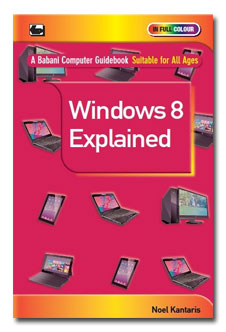
Windows 8 Explained
- Babani Number: BP735
- Authors: Noel Kantaris
- Price: £9.99
- ISBN: 978 0 85934 735 8
- 256 pages in Full Colour
- Published: Nov 2012
This book will help you understand and explore Microsoft's latest operating system—Windows 8, as you will need a good working knowledge of this to get the most from your Desktop, Laptop or X86 Tablet. This book applies to Windows 8, 8 Pro and the vast majority of Windows 8 Enterprise. Also parts of the book should be applicable to Windows RT which is built on the same foundation as Windows 8, but is a restricted version designed specifically for ARM Tablets.
The material in the book is presented using everyday language, avoiding technical jargon as much as possible. The author has written this book with the non technical, non computer literate person in mind. With the books help you will be able to get the most out of your computer when using Windows 8 in, hopefully, the shortest, most effective and enjoyable way.
And much more besides...
With this book you will be able to get the best out of your computer, whether it came new with Windows 7 installed, or whether you want to upgrade from an older version of Windows.
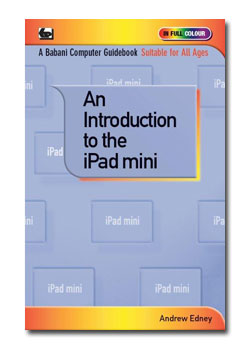
An Introduction to the iPad mini
- Babani Number: BP740
- Author: Andrew Edney
- Price: £7.99
- ISBN: 978 0 85934 740 2
- 128 pages in Full Colour
- Available Now
The sales of Apple's new low priced iPad mini are likely to be phenomenal, due to it's affordable pricing that now makes it available to a whole new market.
This book is in a similar style to Andrew Edney's previous books that we have published on the iPad (ISBN 9780859347273 and 9780859347334) and should prove to be just as successful.
The book covers everything a new iPad mini user will need to know in setting up and using this brilliant new device. It is written in plain English and uses numbered 'walk throughs' to explain exactly what you have to do. In fact this book will act as the 'User Manual' which should have been originally provided with the device.
The book covers:
- An Introduction to your iPad mini
- Switching On Your iPad mini for the first time
- Using The iPad mini for the first time
- Personalization
- Connecting the iPad mini to a network
- Surfing the Internet
- Using iTunes
- E-mailing
- The App Store
- Other iPad mini features
- Troubleshooting
- And more...
Google for the Older Generation
- Babani Number: BP738
- Author: Noel Kantaris
- Price: £7.99
- ISBN: 978 0 85934 738 9
- 128 pages in Full Colour
- Published: Sept 2012
Google is so much more than just a search tool to help you find information from the Internet. This book will show you how to explore and understand both the search facilities and many other useful features of Google.
The book has been specifically written for the over 50s who may have little knowledge or experience of using a computer. However it will ,of course, apply to all other age groups.
This book will replace our highly successful book 'An Introduction to Google for the Older Generation' (9780859347143),since Google has progressed so much in recent times. This book is fully up-to-date having been written around the latest version of Google
With this book you should rapidly be able to expand your knowledge and exper-tise in using Google and hopefully enjoy the experience.
Using Photoshop CS6
- Babani Number: BP737
- Author: R.A. Penfold
- Price: £8.99
- ISBN: 978 0 85934 737 2
- 192 pages in Full Colour
- Available Now
CS6 is the latest version of Adobe's Photoshop premier image editing program, and the favourite of most professional and amateur photographers.
Although, a highly sophisticated and versatile piece of software, Photoshop CS6 has an intuitive user interface that makes its main facilities for processing digital photographs relatively straight forward to use.
This book will help you to quickly understand the basics of Adobe's Photoshop CS6 so that you can enhance and edit your photographs to achieve the best possible technical and artistic results.
Among the topics covered are:
Cropping photos to improve composition
Correcting perspectives
Improving contrast, colour casts and inaccurate exposure
Sharpening 'soft' images
Fixing 'red-eye' problems and how to avoid them
Dealing with possible marks on the camera's sensor
Retouching photographs to remove unwanted objects
Using selective processing and layers to good effect
Using soft-focus and other creative effects
Using filters for spectacular special effects
And more besides…
An Introduction to Mac OS X Mountain Lion
- Babani Number: BP736
- Author: Andrew Edney
- Price: £7.99
- ISBN: 978 0 85934 736 5
- 128 pages in Full Colour
- Published: Sept 2012
In the same style as Andrew Edney's tremendously popular book BP732 'An Introduction to Mac OS X Lion.'
This book tells you everything that you are likely to need to know about installing, configuring and using the latest version of Apple's operating system.
Social Networking for the Older Generation
- Babani Number: BP734
- Author: Jim Gatenby
- Price: £8.99
- ISBN: 978 0 85934 734 1
- 192 pages in Full Colour
- Published: Sep 2012
Many people think that Social Networking is exclusively for the young. However, it is also very useful to the Older Generation as it offers an alternative way of communicating and keeping in touch with family and friends all over the world.
It is relatively simple to understand and use without ever having to leave the comfort of your own home! All you need is a computer and an internet connection.
This book will tell you all you need to know to get started. The book explains in plain English and avoids technical jargon wherever possible how to set up, register and use Facebook and Twitter, the most popular Social Network platforms, as well as using Skype and Microsoft Live Messenger for video telephone calls. The use of Blogging is also covered. With the help of this book you will find keeping in touch has never been so easy or inexpensive!
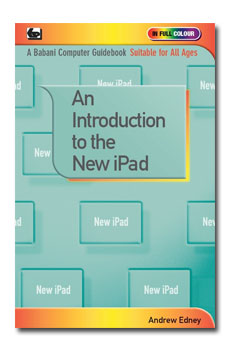
An Introduction to the New iPad
- Babani Number: BP733
- Author: Andrew Edney
- Price: £7.99
- ISBN 978 0 85934 733 4
- 128 pages in Full Colour
- Published: Apr 2012
Apple iPads are becoming ever more popular especially with the release of the new iPad with its en-hanced features.
This book will guide you through setting up and using your new iPad for the first time. It will provide you with many useful hints and tips and also warnings about possible pitfalls that you may encounter.
Among the many topics explained are:
- A brief look at the new iPad.
- Configuring your new iPad for the first time.
- Connecting your new iPad to your home network.
- Working with e-mails and surfing the Internet.
- Exploring many of your new iPads's features.
- Making video calls with FaceTime.
- Troubleshooting your new iPad.
- Backing up your new iPad.
- Getting and installing software from the Apple App Store.
- Much of this book will also apply to earlier versions of Apple iPads.
If you are already the proud owner of Apple's new iPad or perhaps you are just thinking about pur-chasing one, then this book is for you. It will enable you to quickly and easily get to grips with your device.
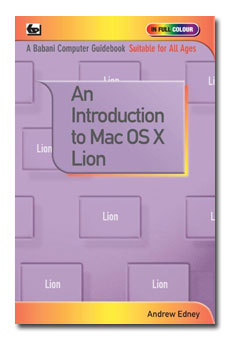
An Introduction to Mac OS X Lion
- Babani Number: BP732
- Author: Andrew Edney
- Price: £7.99
- ISBN: 978 0 85934 732 7
- 128 pages in Full Colour
- Available Now
Lion is the latest version of Apple's operating system. It is available as an
upgrade for any MacBook, iMac or Mini that is already running Snow Leopard and, of course, Lion is now pre-installed on all new Mac computers.
This book will guide you through setting up and using Mac OS X Lion for the first time. It will provide you with many useful hints and tips and also warnings about possible pitfalls. It will enable you to quickly and easily get much more out of your new Mac computer.
Among the many topics explained are:
- A brief look at the Mac OS X Lion operating system
- Configuring your Mac for the first time
- Connecting your Mac to your home network
- Connecting your Mac to a printer
- Making and keeping your Mac secure
- Exploring some of the new features
- Troubleshooting
- Conserving battery life of MacBooks
- Backing up your computer using Time Machine
- Getting and installing free software from the Apple App Store
- And much more besides…
If this is your first time using a Mac computer or using Lion, then this book is for you!
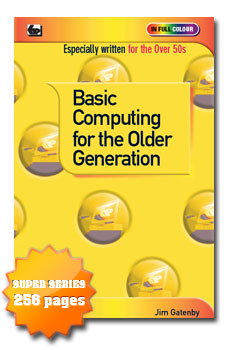
Basic Computing for the Older Generation
- Babani Number: BP731
- Author: Jim Gatenby
- Price: £9.99
- ISBN: 978 0 85934 731 0
- 256 pages in Full Colour
- Published: Feb 2012
The benefits of being able to use a computer are enormous, whatever your age. However, if you have little or no experience, then the whole idea could seem daunting. Well, help is at hand with this book which has been especially written for the over 50's in plain English and avoiding technical jargon wherever possible. It is suita-ble for users of Laptop and Desktop PCs running Windows 7, Vista or XP.
Among the many topics covered are:
- The benefits for older people of using a computer.
- Choosing a computer to suit your needs.
- Simple explanations of the main components of a computer and their function.
- Using the Windows operating system, including tailoring it to suit your personal preferences.
- Windows help for people with special needs.
- Setting up a broadband Internet connection.
- Using the Internet to find information.
- Communicating with friends using e-mail and social networks like Facebook and Twitter.
- Useful software applications such as word processing, spreadsheets, DTP and graphics.
- Editing, enhancing and organizing your digital photos and making high quality prints.
- Using a computer for multi-media entertainment with music, video and 'catch up' television.
- Protection from viruses and computer 'hackers'.
- Keeping your computer running at its peak performance using simple maintenance tasks.
This book will help you to get the best out of your computer and, should you need it, give you the confidence to upgrade to the latest equipment.
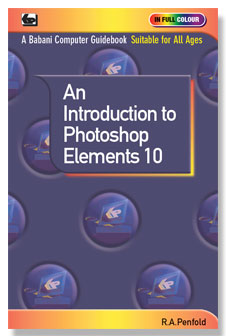
An Introduction to Photoshop Elements 10
- Babani Number: BP730
- Author: R.A. Penfold
- Price: £7.99
- ISBN: 978 0 85934 730 3
- 128 pages in Full Colour
- Available Now
This book will detail the essential steps needed in order to upload photographs to your computer, organise them properly and then use Photoshop Elements 10 to remove imperfections and add special effects.
The book is divided into four chapters generally detailed as follows:-
Chapter 1 Uploading and Organising
Covers transferring photos directly from camera or using a card reader, organising them, RAW files and Adobe RAW plug-in.
Chapter 2 Removing Flaws
Covers red-eye and dust imperfections removal. Adjusting contrast and compensating for exposure. Recovering highlight and shadow detail. Using the sharpening tools to improve a "soft" picture. Getting colour balance right.
Chapter 3 Improvements and Effects
Covers cropping to improve composition and removing unwanted objects from pictures. Creating the impression of speed and movement. Adding soft focus and mist/fog effects. Adjusting colour saturation. Converting pictures into monochrome types and converting photos into "sketches. or "paintings...
Chapter 4 Output
This chapter covers the processes involved in printing pictures or preparing them for use on the Internet. The subjects covered include resizing, colour matching and processing for printing via an inkjet printer.
Although this book is written around version 10 of Adobe Photoshop Elements much will still apply to earlier versions.
Computing and Digital Photography for the Older Generation
- Babani Number: BP729
- Author: Jim Gatenby
- Price: £7.99
- ISBN: 978 0 85934 729 7
- 128 pages in Full Colour
- Available Now
This book is suitable for users of laptop and desktop PCs running Windows 7, Vista or XP operating systems. You will need Windows Photo Gallery software installed, which is available as a free download for all three op-erating systems, the downloading process and the software's use is described in detail.
The book explains the essential features and components of 'Point and Shoot' digital cameras and how photo-graphs are taken and saved on a memory card inside the camera. Photos can be viewed instantly and any unwanted images deleted. The Windows Photo Gallery software enables images to be easily transferred from your camera to your computer.
Windows Photo Gallery contains a number of tools for managing, improving and editing your photos with a single click! Using Windows Photo Gallery pictures can be organised into clearly labelled folders making them easy to find at a later date. For security, photographs can be copied from the computer to a CD so providing a virtually indestructible archive.
Also explained is how your photos can easily be shared with friends and family anywhere in the world by e-mail or uploading them to a photo sharing site such as Facebook or Flickr.
How to make good quality prints, in various formats, by using an inexpensive inkjet printer, or one of the many on-line or High Street photo printing companies is also explained.
In fact this book will explain in the simplest of terms all you need to know about using your digital camera with your computer.
Fix Your PC Problems for the Older Generation

- Babani Number: BP728
- Author: R.A. Penfold
- Price: £7.99
- ISBN: 978 0 85934 728 0
- 128 pages in Full Colour
- Published: Jan 2012
Divided into approximately 80 sections for easy reference which are loosely arranged over four groups. Each section covers a common hardware or software problem, its' causes and a simple practical solution. The solutions are explained in detail using plain English and little or no technical knowledge is assumed. Emphasis is placed on topics that are of particular interest to the older generation. The four groups are as follows and among the topics covered are:
Laptop Fixes: Topics include optimising battery life, making the most of limited screen size and making the screen as easy as pos-sible to read. Using an external pointing device to make the computer easier to use and using Windows Ease of Ac-cess utility programs.
Windows Problems: Includes start-up and shut-down problems, avoiding the computer slowing down due to 'bloat' and speeding it up again if this has already happened.
Networking/Internet Problems: How to use Wi-Fi safely and what not to do. Getting good signals with Wi-Fi and Internet dongles, using a Broad-band router. Connecting to the Internet without a Broadband connection. Downloading large files.
Peripherals and Hardware: Includes problems with cables and wireless links. Getting your printer to print in the required fashion, dealing with paper jams and feed problems. Getting a scanner to work correctly. Getting the correct driver software installed for internal and external hardware.
This book should help you to stop 'panicking' when something will not work and could save you hours of time trying.
An Introduction to the iPad2
- Babani Number: BP727
- Author: Andrew Edney
- Price: £7.99
- ISBN: 978 0 85934 727 3
- 128 pages in Full Colour
- Available Now
Apple iPads are becoming extremely popular and with the release of the iPad 2, more people than ever are using them for many different purposes.
This book will guide you through setting up and using your iPad 2 for the first time. It will provide you with many useful hints and tips and also warnings about possible pitfalls that you may encounter.
Among the many topics explained are:
- A brief look at the iPad 2
- Configuring your iPad 2 for the first time
- Connecting your iPad 2 to your home network
- Working with e-mails and surfing the Internet
- Exploring many of iPad 2's features
- Making video calls with FaceTime
- Troubleshooting your iPad 2
- Backing up your iPad 2
- Getting and installing software from the Apple App Store
Much of this book will also apply to the original Apple iPad.
If you are already the proud owner of an Apple iPad 2 or perhaps are just thinking about purchasing one, then this book is for you. It will enable you to quickly and easily get to grips with your device.
Microsoft Excel 2010 Explained
- Babani Number: BP726
- Authors: N.Kantaris & P.R.M. Oliver
- Price: £9.99
- ISBN: 978 0 85934 726 6
- 256 pages in Full Colour
- Available Now
If you are a PC user and want to get to grips with Microsoft's Excel 2010
spreadsheet as quickly as possible, then this book is for you; no previous
knowledge is assumed.
Among the many features explained are:
• What hardware specification you need to run the package, how to install it,
how to become familiar with the Excel environment and how to benefit from
the built-in Help system.
• How to use the New Ribbon interface, build up simple spreadsheet examples, edit entries, format cells and ranges and save and open workbooks.
• How to enhance a worksheet using styles, how to use headers and footers, how to generate and use 3-dimensional worksheets, how to link them together and how to create and add graphs to a workbook, edit, preview and print the result.
• How to design and build a database management system, how to manage
conditional rules and how to set up and query a database.
• How to use Formula Auditing, the Watch Window, What-If Analysis, Goal Seek, What-if Data Tables, the Solver and how to manage What-if Scenarios.
• How to share information with other applications by linking, embedding and
using hyperlinks, and how to use Excel to publish data on the Web.
• How to create and edit simple recorded macros and how to use Excel's inbuilt functions.
This book is an indispensable companion to anyone using Excel 2010 for the first time or who may have used a previous version. It is suitable for readers of all abilities and will also act as an invaluable reference long after you have mastered the program.
An Introduction to the MacBook
- Babani Number: BP725
- Author: Andrew Edney
- Price: £6.99
- ISBN: 978 0 85934 725 9
- 128 pages in Full Colour
- Available Now
Apple MacBooks are becoming much more popular now and with a choice of
three models, the MacBook, MacBook Pro and the MacBook Air, more people
than ever are switching from Windows machines to Macs! This book applies to
all three MacBook models.
This book will guide you through setting up and using your MacBook for the
first time. It will provide you with many useful hints and tips and also warnings
about possible pitfalls. It will enable you to quickly and easily get much more
out of your new MacBook.
Among the many topics explained are:
• A brief look at the Mac OS X “Snow Leopard” operating system
• Configuring your MacBook for the first time
• Connecting your MacBook to a printer
• Connecting your MacBook to your home network
• Making and keeping your MacBook secure
• Exploring many of the MacBook features
• Conserving battery life
• Troubleshooting
• Backing up your MacBook using Time Machine
• Getting and installing free software from the Apple AppStore
• And much more besides…
If a MacBook is your first computer or you are familiar with Windows machines
but have not used a MacBook before then this is the book
for you!
Facebook for the Older Generation

- Babani Number: BP723
- Authors: Jim Gatenby
- Price: £6.99
- ISBN: 978 0 85934 723 5
- 128 pages in Full Colour
- Available Now
With over 500 million users, Facebook is one of the most popular ways for people to communicate around the world. Originally the province of university students, the Facebook web site is now heavily used by all age groups, including many older people. This book has been especially written for the over 50's, using plain English and avoiding technical jargon wherever possible. It also applies equally to younger readers who would like to learn more about Facebook.
Among the many practical and useful subjects covered are:
• An overview of the diverse ways Facebook can be used and its many useful
applications.
• Everything you need to get started.
• Signing up for a free Facebook account.
• Building a personal profile including education, CV, contact details, likes and
dislikes.
• Using privacy settings to control who can see your personal information and
photographs.
• Finding and making friends with people who share your background or have
similar interests.
• Blocking all communication from people with whom you do not wish to interact.
• Sending updates to tell all your friends your latest news, including text, photos,
videos and links to web sites of common interest.
• Sending messages to particular friends and chatting with them online in real time.
• Preparing photographs and posting them to your Facebook pages, so enabling
friends and family around the world to share the major events in your life.
This book will help you to quickly master the basics of Facebook, so that you can easily
join the exciting new world of Social Networking with its many opportunities.
The Internet - Tweaks, Tips and Tricks

- Babani Number: BP721
- Author: R.A. Penfold
- Price: £6.99
- ISBN: 978 0 85934 721 1
- 128 pages in Full Colour
- Published: Aug 2010
The author, Bob Penfold, uses his vast knowledge and experience in computing to provide you with useful hints, tips and warnings about possible difficulties and pitfalls when using the Internet. This book should enable you to get more from the Internet and to discover ways and means of using it that you may not have previously realised.
Amongst the many topics covered are:
- Choosing a suitable browser, getting awkward pages to display properly.
- Using Java, spell checkers and other add-ons, etc,.
- Using proxy servers to surf anonymously and privacy facilities so you do not leave a trail of sites visited. Ways of finding recently visited sites you can no longer find.
- Using download managers to speed up downloads from slow servers.
- Effective ways and tricks of using search engines to locate relevant info.
- Tricks and tips on finding the best price for goods and services.
- Not getting “conned” when buying or selling on eBay.
- Finding free software.
- Finding and using the increasing range of Cloud computing services.
- Tips on selecting the best security settings.
- Etc,etc,etc.
How to Trace Your Ancestors Using a Computer for the Older Generation

- Babani Number: BP720
- Author: Jim Gatenby
- Price: £6.99
- ISBN: 978 0 85934 720 4
- 128 pages in Full Colour
- Published: Dec 2010
Finding out about our ancestors has never been more popular; while once the exclusive preserve of the professional genealogist, it’s now much easier to trace your roots from the comfort of your own home, using free or inexpensive software. All you need is a standard laptop or desktop computer connected to the Internet and you are ready to start.
There is an enormous volume of data about previous generations on the Internet, available in seconds and much of it free. This includes censuses, parish records and births, deaths and marriages. This book shows how you can easily find out about your forebears by searching these records and by visiting dedicated ancestry Web sites.
This book also shows how to prepare a family tree and how to scan and e-mail old photographs and other archive information to family members around the world.
It is especially written for the over 50s who may have little or no experience or knowledge of using a computer. It is written in plain English and avoids technical jargon wherever possible.
Office 2010 Explained
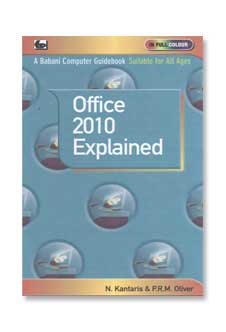
- Babani Number: BP719
- Author: N.Kantaris & P.R.M.Oliver
- Price: £9.99
- ISBN 978 0 85934 719 8
- 256 pages in Full Colour
- Published: Nov 2010
This book covers the most popular applications of Microsoft’s Office 2010 suite: Word, Excel, PowerPoint, OneNote, and Outlook
This book will help you understand these integrated components of Office 2010 as quickly as possible by encouraging you to build complete, hands-on examples and not merely by describing the various functions. No previous knowledge of these applications is assumed.
Among the numerous topics covered are:
- How to use Word 2010 to enter, edit, and format text. How to enhance your creations with the use of document page layouts, paragraph styles and document templates, and how to use the new Navigation pane.
- How to use Excel 2010 to enter, edit and enhance text and how to build up simple spreadsheet examples, format your work, generate 3-D worksheets and add graphics to a workbook, and how to use the new Sparklines feature to add miniature visualisations directly into a worksheet to show trends.
- How to use PowerPoint 2010 to design a presentation in the shortest possible time.
- How to use OneNote 2010, which now plays a central part in all editions of Office 2010. You can now use information in OneNote to create documents in the other applications of Office.
- How to configure and use Outlook 2010 to send and receive e-mail messages and how to use the Quick Step feature to string together a group of commands and apply them to a single key.
This book is an indispensable companion to anyone using Office 2010 for the first time, or who has used one of the previous editions of Office.
Windows 7 Explained
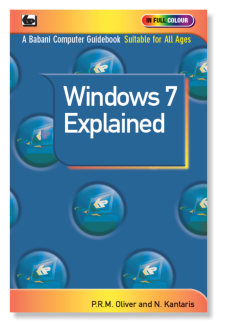
- Babani Number: BP718
- Authors: N. Kantaris & P.R.M. Oliver
- Price: £9.99
- ISBN: 978 0 85934 718 1
- 256 pages in Full Colour
- Published: Sep 2010
Windows 7, Microsoft’s latest operating system manages the resources of your computer and controls the programs that run on it.
To get the most from your computer, and really enjoy using it, you should have a good working knowledge of Windows 7. This book, printed in full colour throughout, which is written for users of any age and experience, will help you to do just that.
The book covers the very stylish Windows 7 environment with its many windows and features and covers:-
- Installing Windows 7.
- Setting up and controlling your PC.
- Finding your way around Windows 7.
- Searching for, organizing and working with files, folders, photos and movies.
- Connecting to a network.
- Web browsing with Internet Explorer.
- E-mailing with Windows Live Mail.
- Keeping your PC safe and healthy.
- Using Ease of Access features if you have poor eyesight or difficulty in using a keyboard or mouse.
And much more besides...
With this book you will be able to get the best out of your computer, whether it came new with Windows 7 installed, or whether you want to upgrade from an older version of Windows.
Getting Started in Computing for the Older Generation — Windows 7 Edition
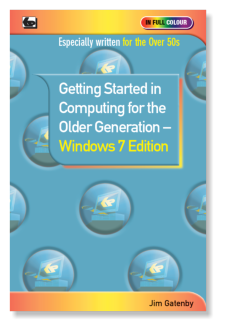
- Babani Number: BP717
-
Author: Jim Gatenby
-
Price: £6.99
- ISBN: 978 0 85934 717 4
-
128 pages in Full Colour
-
Published August 2010
You can learn to use a computer at any age and this book, especially written for the over 50’s, will help you to do just that in an easy and enjoyable way. It is written in plain English and avoids technical jargon wherever possible.
This book will help you to:- Choose the best computing set up for your needs.
- Get the computer running properly in your home.
- Connect to the Internet using wireless broadband.
- Get familiar with Windows 7 the sofwarwe that controls the operation of your computer.
- Install and use essential software such as Windows Live Essentials and Office 2010.
- Use your computer in conjunction with your digital camera.
- Keep your computer and data safe and secure.
- Keep your computer running properly.
- Use the ‘Ease of Access Center’, if you have poor eyesight, hearing or difficulty in using the keyboard or mouse.
And much more besides…
This book will help you to get the best out of your computer and give you the confidence to join a local computer class should you so wish.
Printed in full colour on high quality non-reflective paper for easier reading.
eBay – Tweaks, Tips and Tricks

- Babani Number: BP716
- Author: R.A. Penfold
- Price: £6.99
- ISBN: 978 0 85934 716 7
- 128 pages in Full Colour
- Available Now
Online auction sites are one of the most popular types of site on the internet and the most popular of these is the eBay site. On eBay you can buy and sell practically anything at surprisingly low cost and all from the comfort of your armchair!
This book contains numerous tweaks, tips and tricks covering various aspects of buying and selling on eBay. These tweaks, tips and tricks will help both new and more experienced users of the site to make the most of eBay's facilities while remaining safe and secure.
Among the many topics covered are:-
• Finding the items you require using the eBay search facility.
• Getting the best prices when buying and selling on eBay.
• Avoiding both buying and selling scams.
• Determining the market value for items you intend buying or selling.
• How to avoid problems that may arise when buying and selling on eBay.
• Making the most of the various facilities that are built into the eBay site.
• How to take good photos of items you wish to sell using basic equipment. • Using the My eBay page to stay in control of your buying and selling activities.
• And more besides…
Windows 7 for the Older generation
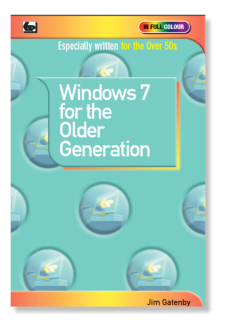
- Babani Number: BP715
- Author: Jim Gatenby
- Price: £6.99
- ISBN: 978 0 85934 715 0
- 128 pages in Full Colour
- Published: March 2010
Whatever you may use your laptop or desktop computer for, it is essential that you understand it’s operating system. It is this operating system which ensures that all the parts of your computer work together effectively, as well as allowing you to run other programs, store and retrieve information and look after the ‘health’ of your computer.
This book is especially written for the older generation who have had little or no experience of using a computer. It has been written in plain English avoiding technical jargon wherever possible and should tell you everything that you are likely to need to know about Microsoft’s new operating system that is called Windows 7. With this knowledge you should be in a much better position to get the most out of your computer and its peripherals.
This book, applies to all versions of Windows 7 and to netbook, laptop and desktop computers. It is printed in full colour on high quality non-reflective paper for easy reading and is lavishly illustrated with numerous full colour screen shots.
The author Jim Gatenby trained as a mechanical engineer and has considerable experience of teaching computing to students of all ages and abilities in schools and adult education He has written numerous books in various fields of computing including many specifically for the older generation.
An Introduction to Google for the Older Generation

- Babani Number: BP714
- Author: N.Kantaris & P.R.M.Oliver
- Price: £6.99
- ISBN 978 0 85934 714 3
- 128 pages in Full Colour
- Published: Feb 2010
Google has evolved into far more than just an internet search tool as this book will explain. It has been written with a view to the particular needs of the older generation who may have little or no knowledge or understanding of computers.
Besides showing you how to search the internet more effectively, the book explores many of the tools and applications now offered by Google, which include the following:
- Product Search and Checkout to help make your online shopping quicker and easier.
- Google News to help keep you up to date with World events and local news as and when it happens.
- Google Finance will give you not only the latest but also historic information about stocks and shares, funds, currencies, etc.
- Google Mail helps you easily carry out all your e-mailing needs.
- Google Maps and Earth to easily view maps and local business information and to view satellite images of the planet.
- Google Docs which introduces you to the concept of ‘Cloud’ computing, by allowing you free access to word processing, spreadsheet and presentation software that you just use as and when you require. It then allows you to store safely and securely all your work on the internet.
- Picasa for organising and sharing your digital photographs.
And much more besides...
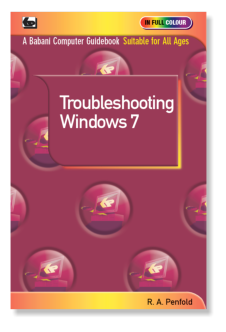
Troubleshooting Windows 7
- Babani Number: BP713
- Author: R.A.Penfold
- Price: £6.99
- ISBN: 978 0 85934 713 6
- 128 pages in Full Colour
- Published: October 2010
Troubleshooting Windows 7 may seem a daunting task for the non-expert computer user but, in fact, many faults and problems can be quickly and easily sorted out. This book will show you how to do just that!
Chapter 1: Upgrading Covers the process of upgrading a computer running Vista to Windows 7.The basics are explained such as getting the right version of Windows 7 and the minimum typical hardware requirements. Checking for problems with hardware, driver and application software compatibility.Then getting the whole system operating and running properly.
Chapter 2: Prevention It is best, if at all possible, to prevent problems happening. This chapter covers the regular ‘housekeeping’ tasks that should be undertaken in order to keep Windows 7 running efficiently. Coverage will be concentrated on built-in facilities such as disc defragmenter and clean-up utility, System Restore, Windows Defender and Firewall, the Action Center, the back-up facility and the Start-up repair facility. Third-party antivirus and utility software will also be dealt with.
Chapter 3: Troubleshooting Windows 7 has built-in facilities that help with troubleshooting both software and hardware problems. This chapter deals with disc checking facilities, Safe Mode operation, using the Action Center, using software compatibility modes and Device Manager to find and rectify driver problems. Also covers repairing a damaged Windows installation. Lastly, the use of third-party diagnostic software and reinstallation is covered.
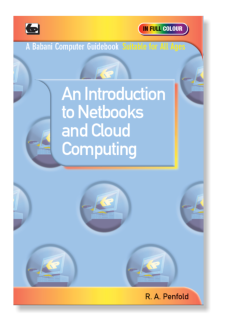
An Introduction to Netbooks and Cloud Computing
- Babani Number: BP712
- Author: R.A.Penfold
- Price: £6.99
- ISBN: 978 0 85934 712 9
- 128 pages in Full Colour
- Published: Feb 2010
Netbook computers are now the fastest selling segment of the PC market. This book will help you choose a Netbook that is best suited to your needs and then show you how to set it up and use it effectively, especially by utilising the concept of ‘Cloud’ computing.
Chapter 1: Choosing a Netbook explains what constitutes a netbook and how it differs from other types of portable PCs together with it’s advantages and disadvantages. The limitations of a netbook’s relatively simple hardware are explained as are the comparative merits of the Windows or Linux operating systems.
Chapter 2: Getting Started shows you how to set up and get your netbook running properly. Topics covered include transferring files and settings to your netbook, customising your netbook and installing software. Security issues are discussed including data back-up and both wired and wireless connections to the Internet. The use of external hardware is also covered such as mice, printers, monitors and storage devices including Flash and hard disc drives.
Chapter 3: Cloud Computing shows how to use online resources to compensate for the relatively limited hardware of many netbooks. The basics of Cloud computing are covered, explaining why it is more or less mandatory when using netbooks .Then the advantages and drawbacks of Cloud computing are considered including security issues. Practical Cloud computing applications including e-mail, messaging services, online backup services and various free online applications available from Microsoft and Google are then dealt with.
An Introduction to the Internet for the Older Generation

- Babani Number: BP711
- Author: J. Gatenby
- Price: £6.99
- ISBN: 978 0 85934 711 2
- 128 pages in Full Colour
- Published: November 2009
You can learn to use the Internet at any age and this book, especially written for the over 50’s, will help you to do just that in an easy and enjoyable way. It is written in plain English and avoids technical jargon wherever possible.
This book explains how to use your PC, Laptop or an inexpensive Netbook computer to access and use the Internet in many useful, advantageous and interesting ways.
Among the many thing covered are:
- Choosing and setting up your computer for the Internet
- Getting connected to the Internet
- Sending and receiving e-mails, photographs, etc., so you can keeping touch with family and friends all over the world.
- Searching and saving information on any subject
- On-line shopping and home banking
- Setting up your own simple web site
This book provides the basic knowledge so that you can gain enough confidence to join the local computer class should you so wish.
Printed in full colour on high quality non-reflective paper for easier reading.
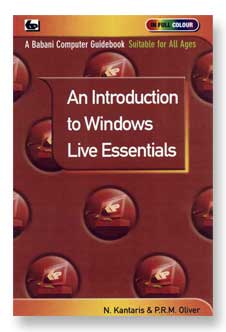
An Introduction to Windows Live Essentials
- Babani Number: BP710
- Author: N. Kantaris & P.R.M. Oliver
- Price: £6.99
- ISBN: 978 0 85934 710 5
- pages in Full Colour
- Published: October 2009
With the release of Microsoft’s new operating system Windows 7, Microsoft decided to separate several applications that used to be bundled with previous versions of Windows and put them into what is now called ’Windows Live Essentials Suite’.
This book explains in simple language all you need to know about installing and using this suite which comprises:
- Windows Live Mail. The application includes Contacts and Calendar and is the successor to Outlook Express and Address Book (XP) and Windows Mail, Contacts and Calendar (Vista).
- Windows Live Messenger. This application is the central hub for Window Live activities online. Windows Live Writer. Allows you to easily maintain a blog or personal web site.
- Windows Live Photo Galley. Allows you to do practically anything with your digital photographs, including sorting, viewing, slide shows, e-mailing, etc.
- Windows Live Movie Maker. A video editing application that is aimed at users who wants to share their home movies via on line services like
- YouTube and MSN.
- Windows Live Family Safety. Parental control by another name.
- Windows Live Toolbar. Enhances and simplifies the use of Internet Explorer.
- Windows Live Outlook Connector. Only appears if you have Microsoft Office installed on your PC. Makes it easier to work with Office Live Workspace Microsoft’s online document collaboration service.
- Windows Live Sync. For PC-to-PC document and Photo Synchronisation.
- Windows Live Silverlight. Microsoft’s version of Flash
An Introduction to eBay for the Older Generation

- Babani Number: BP709
- Author: Cherry Nixon
- Price: £6.99
- ISBN 978 0 85934 709 9
- 128 pages in Full Colour
- Published: August 2009
Cherry Nixon is one of the most experienced e-Bay tutors in the country. Presenting her courses, many of which are especially tailored to the older generation, has given Cherry a unique insight into the requirements and difficulties encountered by her students of all ages. Her special insight and vast experience make this book particularly informative and useful.
This book explains in the simplest of terms all you need to know about buying and selling on e-Bay. It assumes no prior knowledge and whereever possible avoids technical jargon.
Among the many topics covered are:
- A general over view of e-Bay Introduction to the e-Bay site
- Explaining how e-Bay and PayPal operate
- Understanding Feedback
- The various types of account you can set up
- Bidding and paying
- Creating your own auction
- Preparing and using photographs
- Understanding the fees
- Safety and security
- What to do if things go wrong
Windows 7 - Tweaks, Tips and Tricks

- Babani Number: BP708
- Author: A. Edney
- Price: £6.99
- ISBN 978 0 85934 708 2
- 128 pages in Full Colour
- Published: November 2009
This book contains a host of useful information on how to get the most out of your Windows 7 computer, no matter what version of Windows 7 you are running. Includes using built in applications you never knew you had, getting more out of applications that you thought you already knew and learning all about your new operating system.
Taking you on this journey is Andrew Edney. Andrew has been an IT professional for more that 13 years and has over the course of his career worked for a range of high-tech companies, including Microsoft, Hewlett-Packard and Fujitsu. Andrew is currently involved in numerous Microsoft beta programs including next generation Windows operating systems and Office products. Andrew is a Microsoft MVP who are a highly select group of experts that represent the technical community’s best and brightest.
Whether you are new to computing or a seasoned veteran you should find many useful and surprising things to help and interest you between the pages of this book.
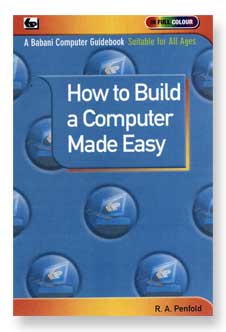
How to Build a Computer Made Easy
- Babani Number: BP707
- Author: R.A.Penfold
- Price: £6.99
- ISBN: 978 0 85934 707 5
- 128 pages in Full Colour
- Published: August 2009
There are many advantages to building your own computer, not the least being that you will learn a great deal about how a PC is assembled and works - very useful when things go wrong! Also you will be able to customise the computer to your precise requirements.
Building a computer is much easier than most people realise. The components are relatively inexpensive, easily available and the actual assembly of the computer is surprisingly straight forward. The construction is just a matter of fitting the component modules into the correct position and then connecting them together by plugging in the appropriate cables. No soldering should be required and the only tools you are likely to need will be screwdrivers, small spanners and a pair of pliers. After the physical assembly has been completed the final task is to then install the Windows Vista operating system and possibly any other drivers or software you may require.
A certain amount of technical knowledge is useful in selecting and handling the most suitable components, tackling the task of putting it all together and, finally, overcoming any problems that may occur.
This book is written in an easy to understand way and is fully illustrated with full colour photographs. It will tell you all you need to know to enable you to assemble your own PC with the minimum of problems.
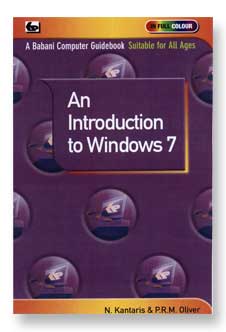
An Introduction to Windows 7
- Babani Number: BP706
- Author: N. Kantaris & P.R.M. Oliver
- Price: £6.99
- ISBN: 978 0 85934 706 8
- 128 pages in Full Colour
- Published: November 2009
Microsoft has recently announced that the replacement for Windows Vista operating system will be Windows 7. Approximately 2½ million copies of the Beta test version have been downloaded and it would seem that this new operating system is relatively ‘bug free’ and stable which, hopefully, will prove to be the case for its official launch in the autumn.
This book is a sequel to our highly successful book BP703 “An Introduction to Windows Vista”, having been written in the same style and by the same authors but covering in detail this exciting new operating system which is destined to be loaded on to 95% of all new PCs and laptops. So the potential interest and sales for this book are assured and vast.
This book is written in a friendly and practical way. It is suitable for all age groups from youngsters to the older generation and covers the environment, basic features and practical uses of Windows 7. Microsoft has separated several applications which used to come bundled with Vista but now presents them in what is called “The Windows Live Essentials Suite”. This book also covers downloading, integration and basic use of many of these applications.
With the help of this book the reader will quickly, easily and enjoyably gain a good working knowledge of Microsoft’s amazing new operating system Windows 7.
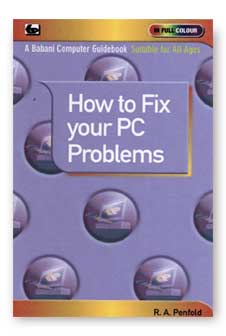
How to Fix your PC Problems
- Babani Number: BP705
- Author: R.A. Penfold
- Price: £6.99
- ISBN: 978 0 85934 705 1
- 128 pages in Full Colour
What do you do when your laptop or desktop PC stops working properly. Do you panic, try to find the answer on the page of fault finding tips you may find at the back of the manufacturer’s manual. Or do you spend hours trying to get through to a telephone helpline or waste even more time waiting for an e-mail reply from a helpdesk.
Well help is now at hand! This book will assist you in identifying the type of problem, whether its hardware, software or a peripheral that is playing up? Once the fault has been identified the book will then show you how to go about fixing it.
This book uses plain English and avoids technical jargon wherever possible. It is also written in a practical and friendly manner and is logically arranged for easy reference.
The book is divided into four main sections and among the many topics covered are:
- Common problems with Windows Vista operating system not covered in other chapters. Also covers to a lesser extent Windows XP problems.
- Sorting out problems with ports, peripherals and leads. Also covers device drivers software and using monitoring software.
- Common problems with hard disc drives including partitioning and formatting a new drive. Using system restore and recovering files. Also covers CD-ROM and Flash drives.
- Common problems with sound and video including getting a multi-speaker system set up correctly.
An extremely useful addition to the library of all computer users, as you never know when a fault may occur!
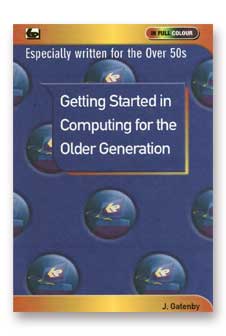
Getting Started in Computing for the Older Generation
- Babani Number: BP704
- Author: J.Gatenby
- Price: £6.99
- ISBN: 978 0 85934 704 4
- 128 pages in Full Colour
You can learn to use a computer at any age and this book, especially written for the over 50’s, will help you to do just that in an easy and enjoyable way. It is written in plain English and avoids technical jargon wherever possible.
This book will help you to:
- Choose and buy a computer suitable for your needs
- Get the machine up and running properly in your home
- Understand and use the Windows Vista operating system
- Get connected and use the Internet to your advantage
- Install and use useful software
- Use your computer in conjunction with your digital camera<
- Keep your computer and data safe and secure
- Keep your computer running properly
- Use the ‘Ease of Access Center’, if you have poor eyesight, hearing or difficulty in using the keyboard or mouse
And more besides…
This book provides the basic knowledge so you can gain enough confidence to join the local computer class should you so wish.
Printed in full colour on high quality non-reflective paper for easier reading.
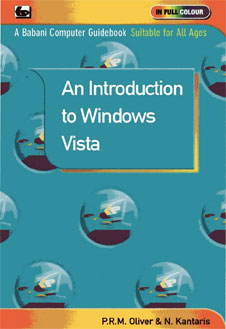
An Introduction to Windows Vista
- Babani Number: BP703
- Author: P.R.M. Oliver and N. Kantaris
- Price: £6.99
- ISBN: 978 0 85934 703 7
- 128 Full Colour Pages
- Available: February 2009
If you have recently bought a new desktop or laptop PC it will almost certainly have Windows Vista as its operating system. Windows Vista manages the available resources of a computer and also ‘controls’ the programs that run on it.
To get the most from your computer, it is important that you have a good understanding of Vista. This book will help you achieve just that. It is written in a friendly and practical way and is suitable for all age groups from youngsters to the older generation. It has been assumed that Vista is installed and running on your computer.
Among the numerous topics explained are:
- The Vista environment with its many windows
- How to organise your files, folders and photos
- How to use Internet Explorer for your Web browsing
- How to use Microsoft Mail for your e-mails
- How to control your PC and keep it healthy
- How to use Vista’s Accessibility features if you have poor eye sight or difficulty in using the keyboard or mouse
And much more besides…
This book will give you a better understanding of Microsoft’s amazing Windows Vista operating system.
PLEASE NOTE
This book is printed on high quality non-reflective long grain paper for easy opening and reading.Paperback: size198 X130mm, spine 7.2mm
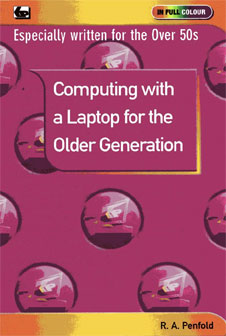
Computing with a Laptop for the Older Generation
- Babani Number: BP702
- Author: R.A.Penfold
- Price: £6.99
- ISBN: 978 0 85934 702 0
- 128 pages in Full Colour
- Published: February 2009
Laptop computers have rapidly fallen in price, increased in specification and performance and become much lighter in weight. They can be used practically any where, then stored out of sight when not in use. Therefore, it is not surprising that their sales now far exceed desktop machines and are also becoming increasingly popular with the older generation of computer users.
The friendly and practical approach of this book will help you to understand and get the most from your laptop PC in an easy and enjoyable way.
The book is divided into five chapters:
- LAPTOP BASICS AND SELECTION covers the pros and cons of laptops for various uses and applications. It also offers advice on selecting the right machine for you.
- SETTING UP YOUR LAPTOP covers unpacking, connecting and getting your machine operational. Also covers charging using mains power and adjusting the screen, touch pad etc.
- USING YOUR LAPTOP PC covers the installation and configuring of applications software. Also covered are using external drives, printers ,expansion cards and docking stations etc.
- INTERNET SECURITY covers connecting to the Internet using Wi-Fi and general security matters such as Firewalls, encryption, antivirus etc.
- TROUBLESHOOTING covers using System Restore. Backing up data. Battery and power management. Possible keyboard difficulties and screen problems etc.
- Printed in FULL COLOUR on high qualit non-reflective paper for easy reading.
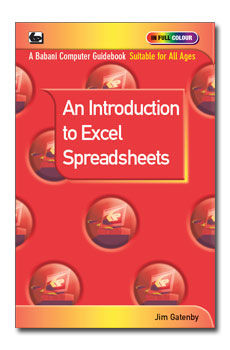
An Introduction to Excel Spreadsheets
- Babani Number: BP701
- Author: J.Gatenby
- Price: £6.99
- ISBN: 978 0 85934 701 3
- 128 pages in Full Colour
The practical and friendly approach of this book will help newcomers to easily learn and understand the basics of spreadsheets. This book is based on Microsoft’s Excel 2010 spreadsheet, but the vast majority of the book will still apply to earlier versions of Excel. The book is written in plain English, avoiding technical and mathematical jargon and all illustrations are in full colour. It is suitable for all age groups from youngsters to the older generation.
Among the many topics explained are how to:
- Install the software
- Use the exciting new features of Excel 2010
- Create and use a spreadsheet
- Enter, edit and format text, numbers and formulae
- Insert, delete and hide columns and rows
- Save and print a spreadsheet
- Present the information on a spreadsheet as a graph or chart
- Manage and safeguard Excel files on disc
- Use Excel as a simple database for names and addresses
This book will help you to quickly gain confidence and get to grips with using spreadsheets. In fact you will wonder how you ever managed without them.
PLEASE NOTE
This book is printed on high quality non-reflective long grain paper for easy opening and reading.
Paperback: size198 X130mm, spine 7.2mm
An Introduction to Digital Photography with Vista
- Babani Number: BP700
- Author: R.A.Penfold
- Price: £6.99
- ISBN: 978 0 85934 700 6
- 128 pages in Full Colour
The friendly and practical approach of this book will help newcomers to digital photography and computing to easily learn the basics they will need when using a digital camera with a laptop or desktop PC. It is assumed that your PC uses Windows Vista, however, if it is a Windows XP machine the vast majority of this book will still apply. This book is written in plain English, avoiding technical jargon and all illustrations are in full colour. It is suitable for all age groups from youngsters to the older generation.
Among the many topics explained are how to:
- Understand the basic features of a digital camera
- Transfer photographs from your digital camera to your computer
- View your photographs
- Save, sort and file your photographs
- Manipulate, crop and carry out simple corrections to enhance your photographs
- Copy your photographs on to a CD
- Print your photographs
- E-mail your photographs to friends and family all around the world.
This book will help you quickly get to grips, gain confidence and expand your horizons in the fascinating hobby of digital photography.
PLEASE NOTE
This book is printed on high quality non-reflective long grain paper for easy opening and reading.
BABANI BOOKS ARE AVAILABLE FROM ALL GOOD BOOKSHOPS, W.H. SMITH, MAPLIN, MAIL ORDER AND INTERNET COMPANIES.
If you have difficulty obtaining the titles you require you can obtain an order form by using the 'Ordering with Cheque' button on this page. However, we do not accept Credit or Debit cards but you can order titles through one of the bookshops listed on our 'Ordering with Card' page.
We can be contacted at enquiries@babanibooks.com or at the address given on this page.